One workspace
Sessions, files, terminals, Git, and runtime state stay in one context.
From understanding a repository to editing files, running commands, reviewing diffs, and checking results, Cocode turns a development task into an inspectable workflow.
Capabilities and limits follow the current release
Cocode is an AI coding agent for real repositories. It keeps models, files, terminals, tools, Sessions, diffs, and tests in one inspectable development workflow. It is built for developers who need to finish and verify cross-file tasks, not just chat about pasted snippets.
Sessions, files, terminals, Git, and runtime state stay in one context.
Review file writes, commands, and network actions before they continue.
The desktop GUI and terminal TUI connect to the same Host and Session.
Cocode is built for complete tasks: understand the repository, make a plan, run tools, show the diff, and verify the result.
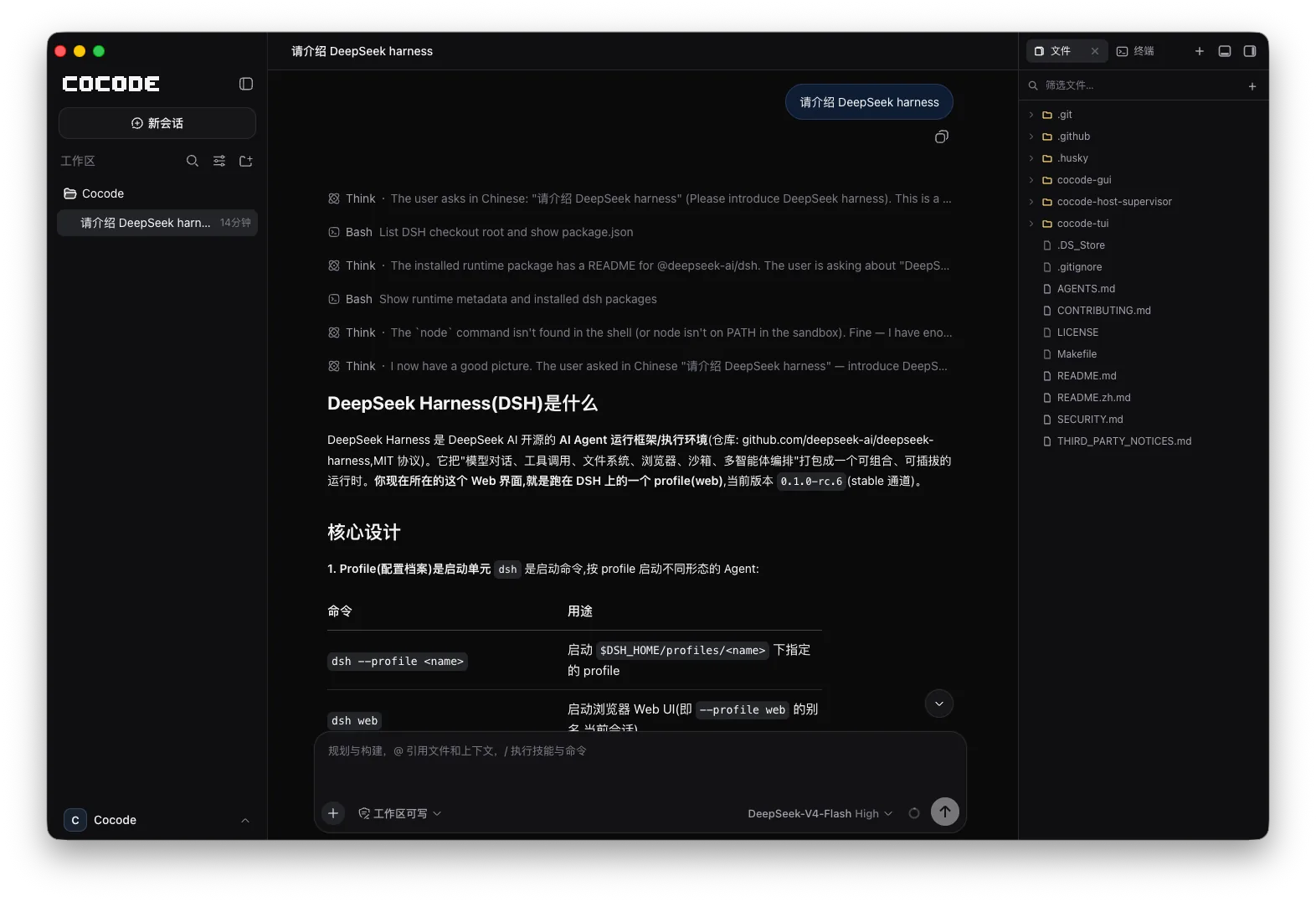
Use Cocode Nut, a DeepSeek-compatible API key, a self-hosted endpoint, or your own gateway. Cocode is not tied to one model vendor.
Clear boundaries make real development work easier to trust.
Begin in the GUI and keep going from the TUI or an SSH session. Presentation state stays out of the session log so another client can rebuild the task.
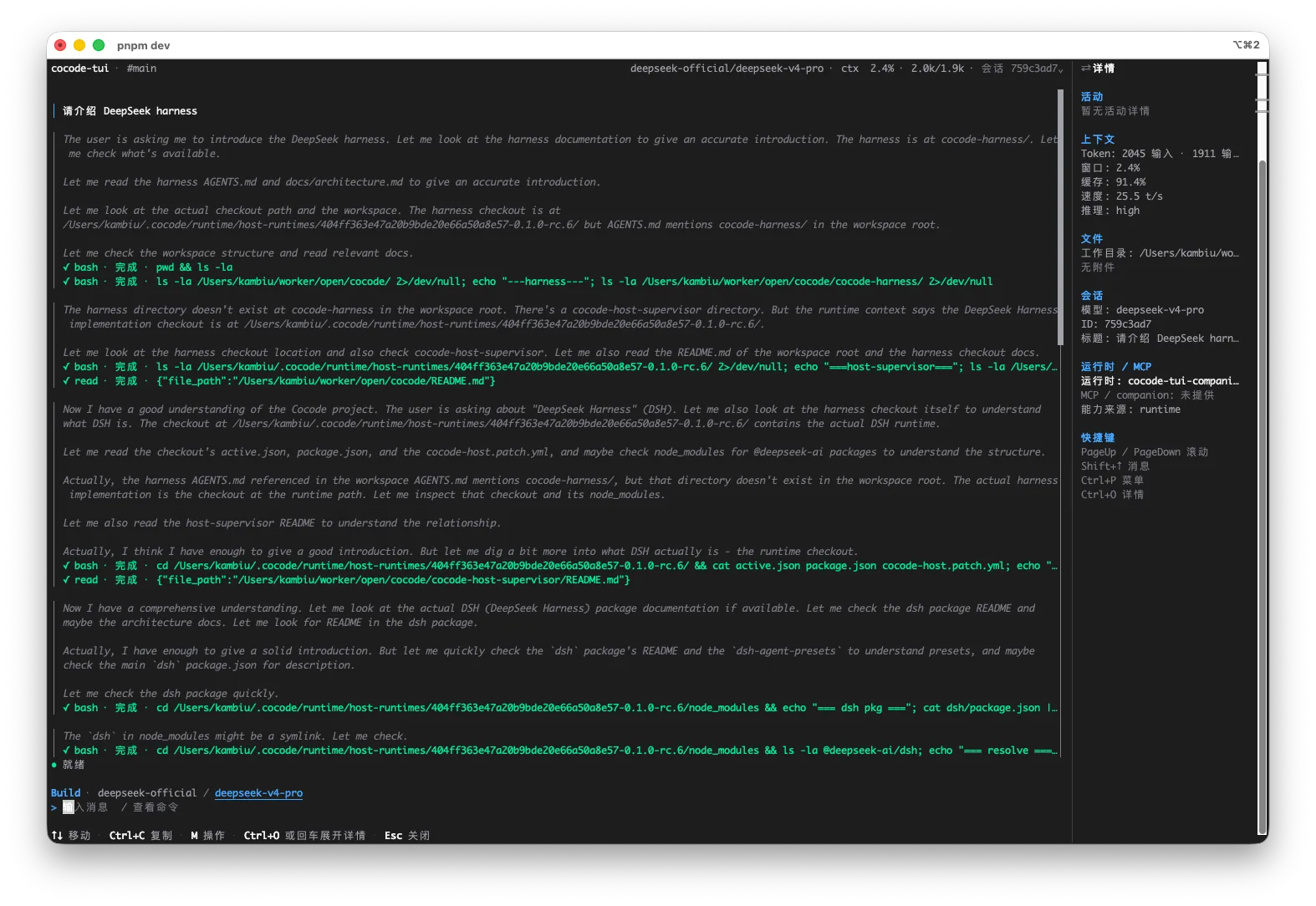
This is an executable, reviewable path through a real repository—not an abstract feature list.
Choose a workspace and let the agent read its structure, dependencies, conventions, and current Git state.
State acceptance criteria, protected areas, and runtime limits before the agent fills in missing context.
Break work into reviewable steps, then read files, edit code, run commands, or use the network within permission boundaries.
Compare actual file changes, command output, and test results with the goal instead of trusting a prose summary.
Ship a verified result or keep the Session context and continue repairing failed checks.
Trace a call path, change the implementation, add regression coverage, and verify with real commands.
Update routes, data structures, client calls, documentation, and tests as one task.
Lock down behavior first, then change the code in stages while running type checks and tests.
Continue through TUI and SSH on servers, containers, or machines without a graphical environment.
Check the Host, configuration, and terminal before entering the workspace.
cocode doctor
cocodeClient behavior, model capability, and workspace permissions must align. These claims stay within boundaries the Cocode workflow can verify.
| Capability | Status | Conditions and evidence scope |
|---|---|---|
| Repository reading | Supported | Limited to workspaces available to the current user and sandbox. |
| Edits and commands | Permission-aware | Writes and commands may require confirmation and remain subject to OS permissions. |
| GUI / TUI continuity | Same-scope support | Both clients must use the same Host, Profile, and Session data. |
| Fully offline use | Not a default promise | Inference, sign-in, updates, or external tools may still need a network. |
Cocode treats actual file changes, command exit status, and test output as completion evidence. A model summary explains the work but cannot replace repository and runtime proof.
Cocode is an independent distribution built on the DeepSeek Harness developer preview, with a desktop GUI, terminal TUI, and model-service options.
Tool actions follow permission and confirmation flows. You can inspect the impact before writing files, running commands, or going online.
No. You can bring a DeepSeek-compatible API key, use a self-hosted endpoint, or use Cocode Nut.
The practical difference is whether it can read a real workspace, use tools, expose file changes, and run verification. Producing code text alone does not complete a repository task.
Inspect the real diff, relevant tests or builds, command exit status, and remaining risks instead of relying on the model’s completion statement.