Local file context
Start from your repository and directories instead of copying an entire project into another chat window.
Cocode is a local-first AI coding client: files, terminals, and task context stay around your workspace while you choose the model connection.
Capabilities and limits follow the current release
Cocode is a local-first AI coding client. Workspace, terminal, and Git operations can stay on a developer-controlled machine, while inference, sign-in, updates, or external tools may still use the network. Local-first is not fully offline.
Start from your repository and directories instead of copying an entire project into another chat window.
Commands, tests, diffs, and results stay centered on your machine or a remote workspace you control.
Use a DeepSeek-compatible API, self-hosted endpoint, gateway, or Cocode Nut without locking the client to one provider.
Cocode puts local files and execution at the center while allowing a remote model service. You keep continuous repository context without giving up model choice.
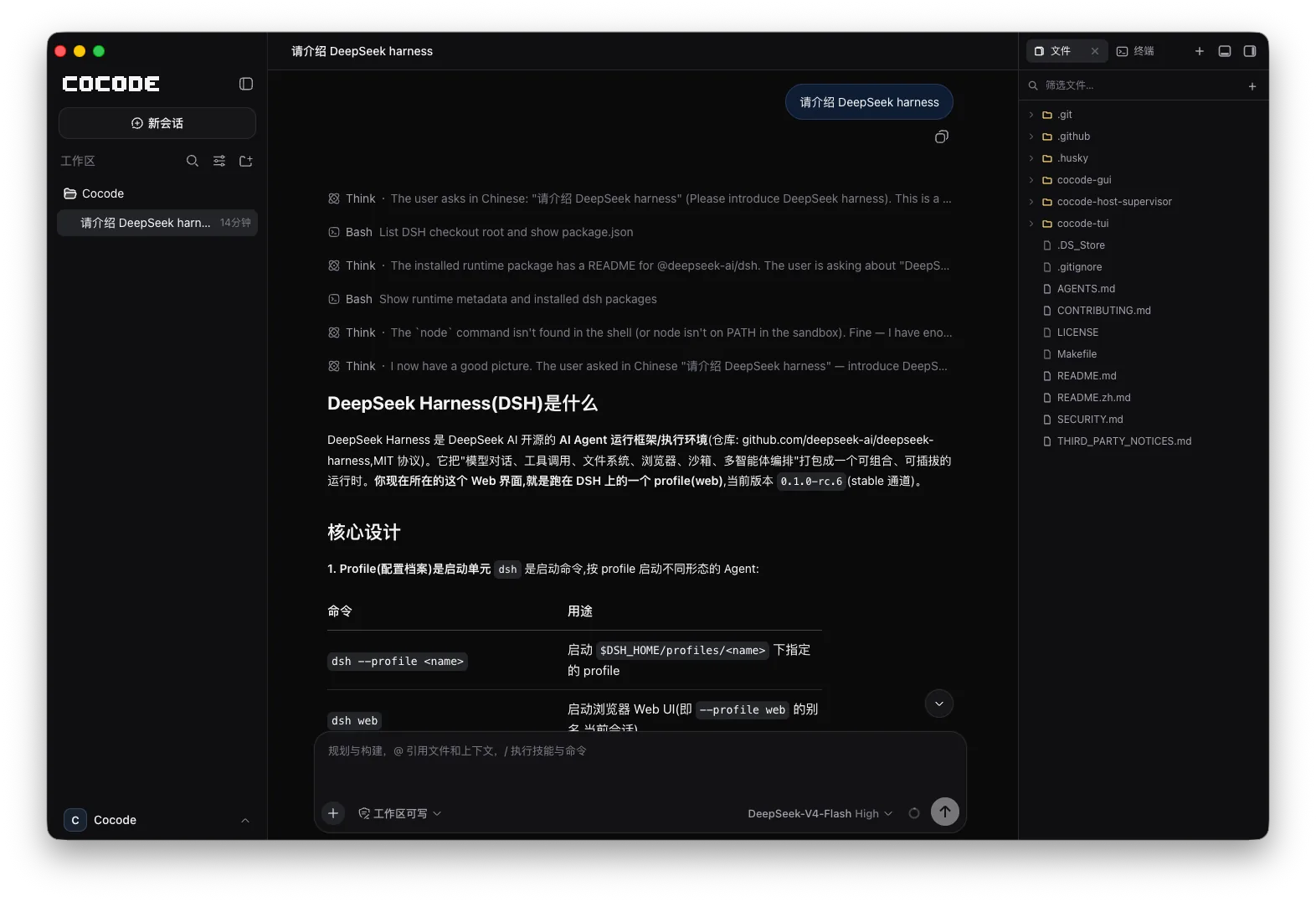
A task starts with the directory and dependencies, moves through edits, commands, and tests, then ends with a diff and conclusion in the same session.
Clear boundaries make real development work easier to trust.
Use the GUI for structure and visual review, and the TUI for keyboard-first work on remote machines. Both connect to the same Host and Session.
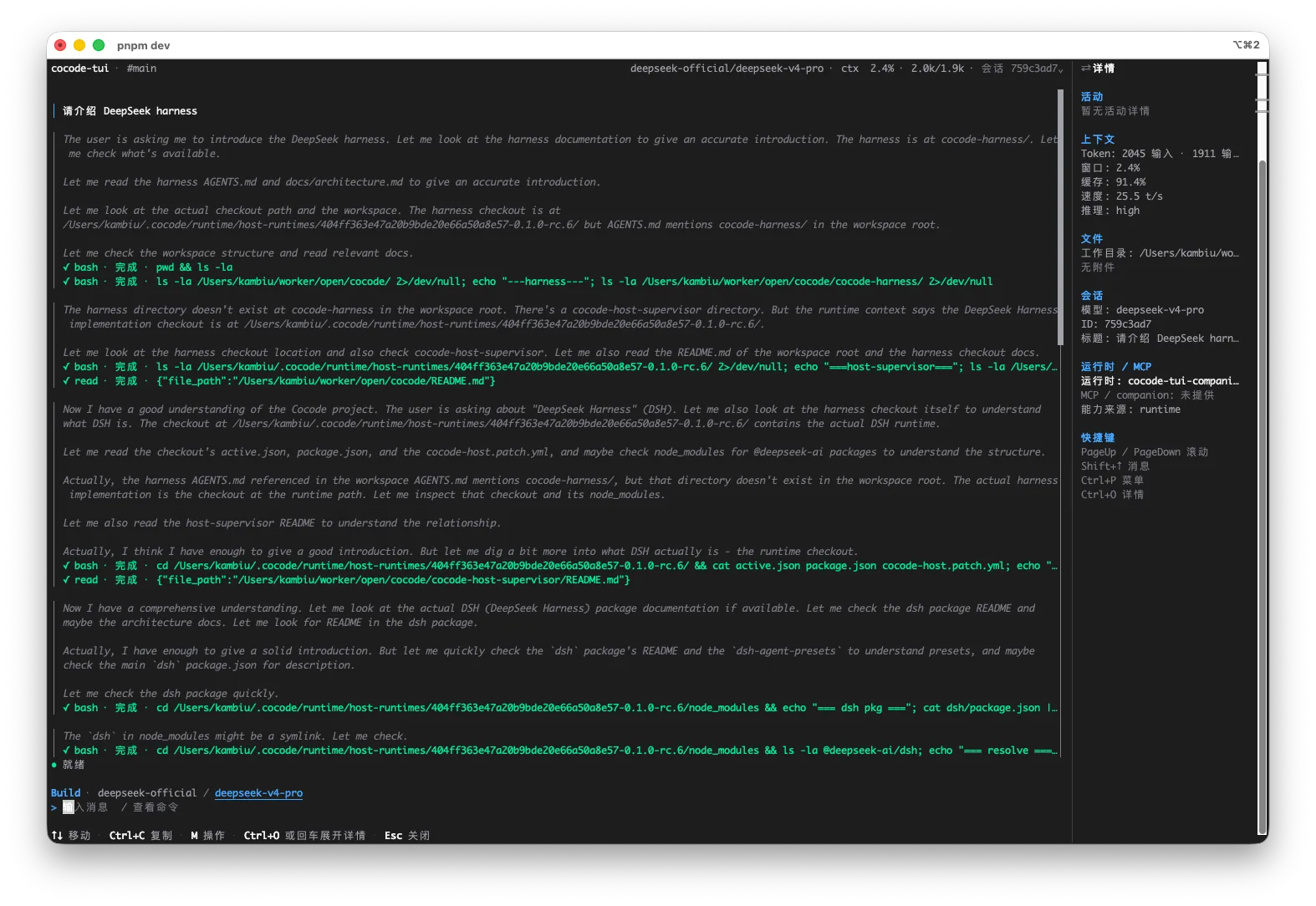
This is an executable, reviewable path through a real repository—not an abstract feature list.
The client reads and edits the target directory directly without importing the whole repository into a web editor.
Use Cocode Nut, a DeepSeek-compatible API, an enterprise gateway, or a self-hosted model endpoint.
Control file, command, and network access separately, with stricter confirmation for sensitive repositories.
Inspect request paths, file changes, and command results instead of treating local-first as fully offline.
Keep code in your workspace and send only task-relevant context to the selected model endpoint.
Route model access through an approved enterprise gateway or internal endpoint.
Connect a compatible endpoint and verify protocol, tool-use, and quality boundaries.
Run tasks on your own development machine or server through TUI and SSH.
Launch from the target repository after checking the model endpoint and network boundary.
cd /path/to/private-repository
cocode doctor
cocodeA task meets privacy and network requirements only when the data path for every layer is explicit.
| Capability | Status | Conditions and evidence scope |
|---|---|---|
| Repository and Git | Can stay local | File and Git operations run on the machine that owns the workspace. |
| Model inference | Endpoint-dependent | Cloud APIs receive required requests; a local endpoint can keep inference in a controlled environment. |
| Sign-in and updates | May use network | Accounts, model services, downloads, and updates can require connectivity. |
| Fully offline | Requires dedicated setup | Models, tools, dependencies, and network policy must all be controlled; local-first alone does not prove it. |
Cocode treats code location, inference location, credentials, external tools, and logs as separate boundaries. A credible claim about code leaving the machine requires checking every layer.
Cocode should not be described as fully offline by default. It supports local files and execution, while model access can be remote or self-hosted depending on your configuration.
Yes. Cocode supports a DeepSeek-compatible API key, self-hosted endpoint, gateway, or Cocode Nut.
Whether model requests leave the local environment depends on the model service and configuration you select. Review the endpoint, privacy notice, and organization policy before use.
No. Whether code reaches a model or tool depends on the endpoint, request context, tools, and deployment configuration.
Use a local model endpoint, local dependencies, controlled tools, blocked external network access, and offline-capable client components, then verify every layer makes no external call.