Choose by task
Compare file context, terminal access, permissions, and result verification before comparing model names.
Different tools serve different development paths. Cocode brings local files, a desktop workspace, terminal TUI, sessions, and reviewable tool actions into one workflow for developers moving through complete tasks.
Capabilities and limits follow the current release
Choose an AI coding agent by its real workflow, not the number of advertised features: how it reads repositories, runs commands, exposes diffs, connects models, handles permissions, recovers from failure, and proves completion. This page provides a selection method, not a permanent ranking.
Compare file context, terminal access, permissions, and result verification before comparing model names.
Cocode supports local workspaces, remote SSH, self-hosted endpoints, compatible gateways, and Cocode Nut.
Inspect file writes, commands, and network actions before they continue.
What matters is how a task starts, carries repository context, runs tools, exposes diffs, and recovers when something fails. Define the workflow before comparing products.
Clear boundaries make real development work easier to trust.
Cocode fits developers who move through complete repository tasks: understand the directory and dependencies, edit files, run commands and tests, review the diff, and leave a durable result trail.
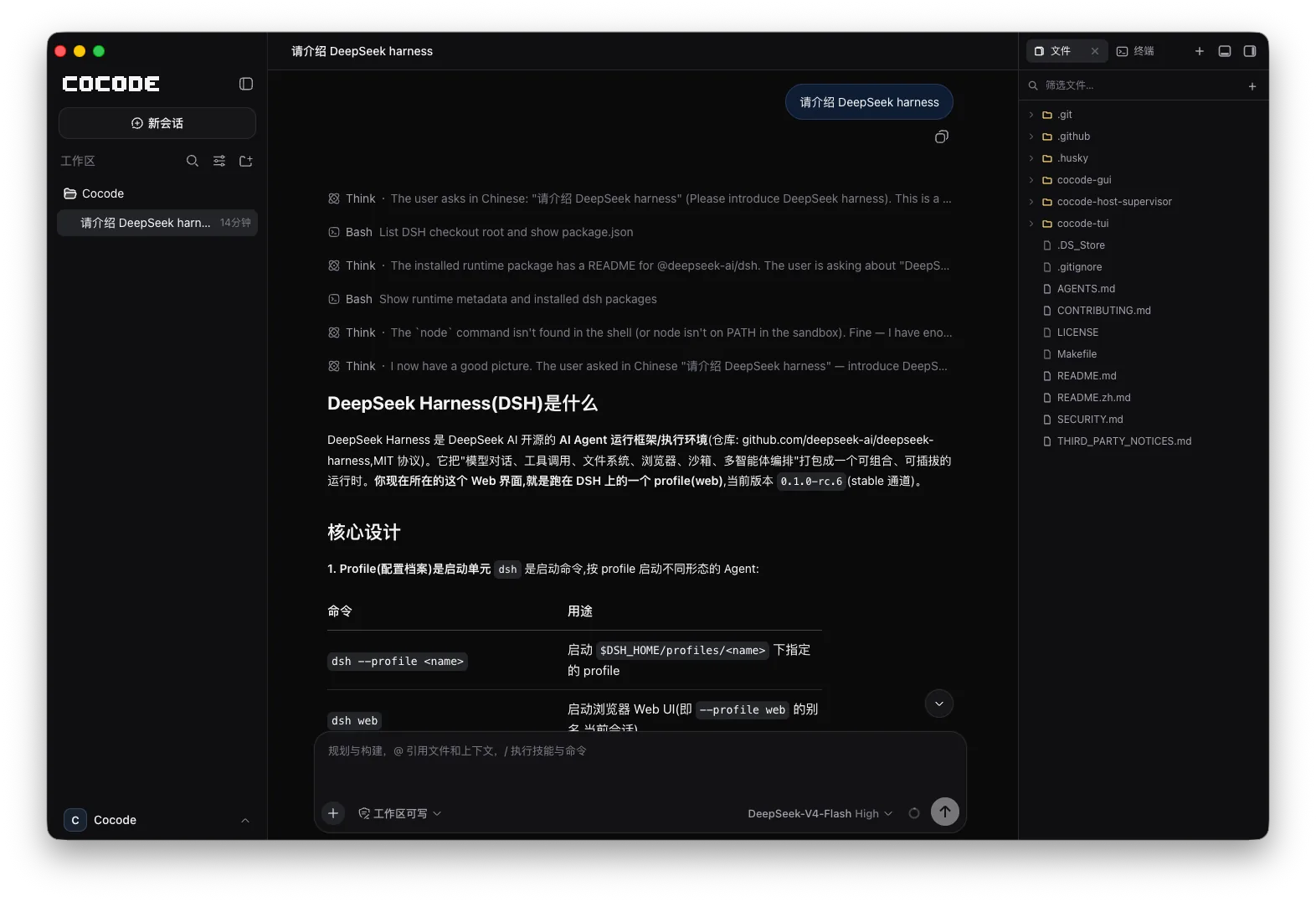
Use the GUI for structure and diff review, and TUI for keyboard-first work on remote machines. The same Host and Session keep the task continuous.
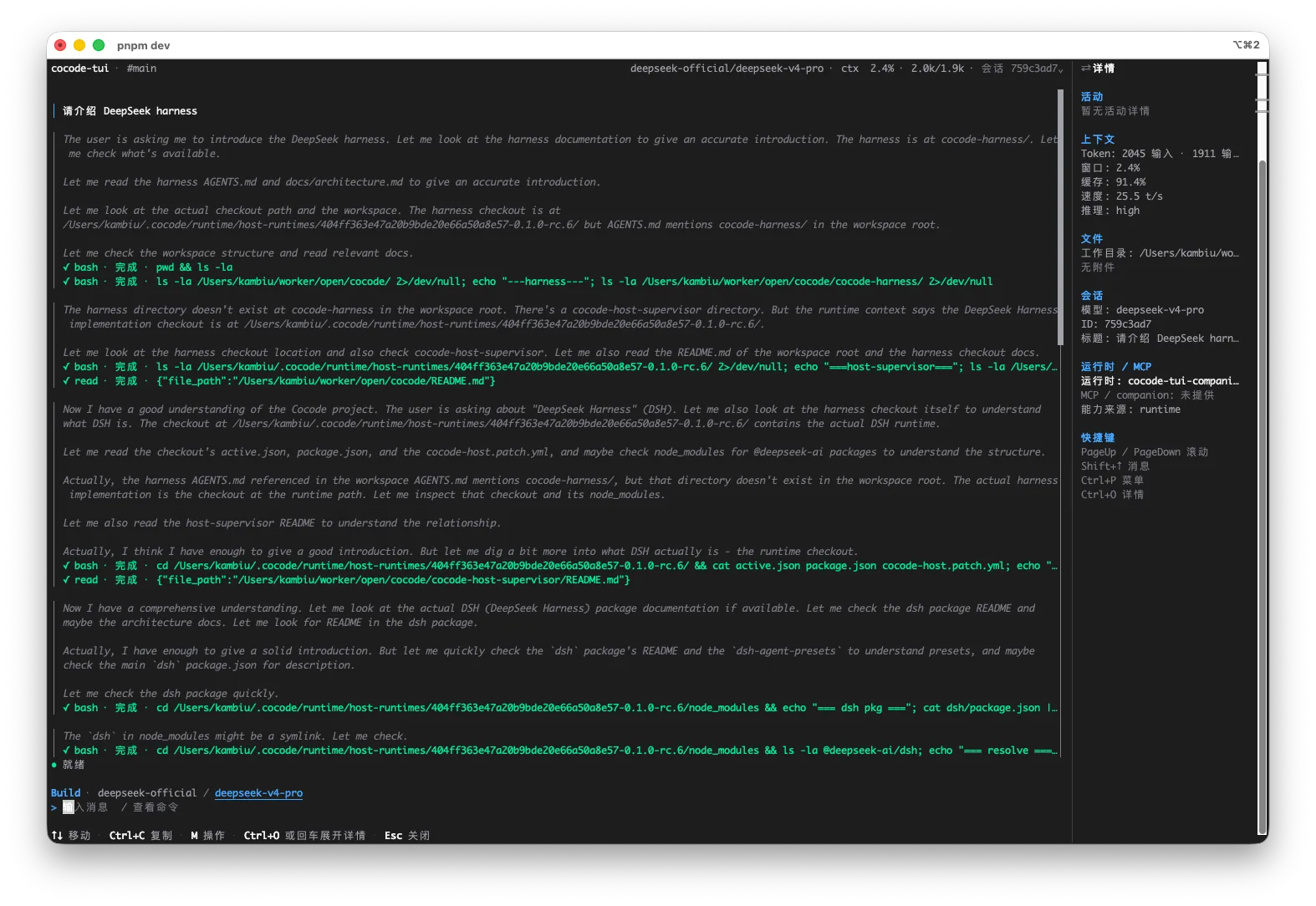
This is an executable, reviewable path through a real repository—not an abstract feature list.
Separate inline help, cross-file fixes, SSH diagnosis, refactors, and enterprise endpoints.
Inspect how each tool reads repositories, runs terminals, uses the network, shows diffs, and retains Sessions.
Check permissions, endpoints, protocols, data paths, and recovery instead of comparing model claims alone.
Use a recoverable task and record completion time, human intervention, errors, and verification results.
Prefer tools that understand cross-file context, run tests, and expose the real diff.
Prefer a stable TUI, TTY support, visible permissions, and recoverable sessions.
Prefer staged execution, continuous checks, and preserved context after failures.
Prioritize custom Base URLs, protocol compatibility, credentials, audit, and network policy.
Compare tools with the same task, repository, and acceptance criteria.
1. Reproduce a known defect
2. Change the implementation and add a test
3. Run repository gates
4. Show the diff, results, and remaining risksThe same tool can fit personal repositories, SSH hosts, and enterprise endpoints differently.
| Capability | Status | Conditions and evidence scope |
|---|---|---|
| Repository understanding | Test | Check project conventions, dependencies, Git state, and cross-file call paths. |
| Execution and review | Test | Record tool calls, permission prompts, actual diffs, tests, and human intervention. |
| Model compatibility | Verify per protocol | Check Base URL, auth, model catalog, Chat, Responses, streaming, and tool calling. |
| Failure recovery | Test | Observe disconnects, failed checks, partial edits, retries, and retained context. |
This comparison answers one question: do the entry points and runtime fit the way you actually work?
| Workflow dimension | Cocode | Cursor | Claude Code | Aider | Continue |
|---|---|---|---|---|---|
| Local file context | Core workflow | Core workflow | Terminal workflow | Terminal workflow | Editor workflow |
| Terminal / SSH | TUI + SSH | Limited | Strong | Strong | Configuration-dependent |
| Desktop workspace | GUI | Editor | No dedicated GUI | No dedicated GUI | Editor |
| Self-hosted endpoints | Supported | Plan/config dependent | Endpoint dependent | Supported | Supported |
| Continuous tasks | Strong | Medium | Strong | Strong | Editor-dependent |
Cocode does not treat feature-check counts as a final ranking. Fix the repository, task, and acceptance criteria, then record completion quality, intervention, errors, recovery, and verification evidence.
No. Cocode is aimed at developers who want to move through complete tasks in a real repository, terminal, or controlled endpoint while reviewing actions before they have an impact.
Cursor centers the editor experience; Cocode emphasizes continuity across GUI, TUI, SSH, sessions, and the workspace runtime. Specific capabilities change with each product release.
Cocode supports DeepSeek-compatible APIs, self-hosted endpoints, compatible gateways, and Cocode Nut. Protocol and model capabilities follow the current release.
Repositories, permissions, endpoints, and team workflows change the result. A static ranking hides conditions and recovery cost.
Use the same repository, task, starting state, model conditions, and acceptance criteria, then record intervention, failures, and final verification.