Keyboard first
Work in a real TTY without switching to a graphical client.
Cocode TUI brings the same session to your keyboard, SSH connection, and remote machine without requiring a graphical environment.
Capabilities and limits follow the current release
Cocode TUI is a terminal AI coding agent for real TTYs, SSH, and headless environments. It connects to the Cocode Host and Session so developers can read repositories, run commands, edit code, and continue desktop tasks on remote machines.
Work in a real TTY without switching to a graphical client.
Designed for remote machines, servers, and headless workspaces.
Connect to the same Host, profile, and session data as the GUI.
Run `cocode doctor` to check the Host, then run `cocode` to start a task. A real terminal preserves scrolling, shortcuts, and interactive state.
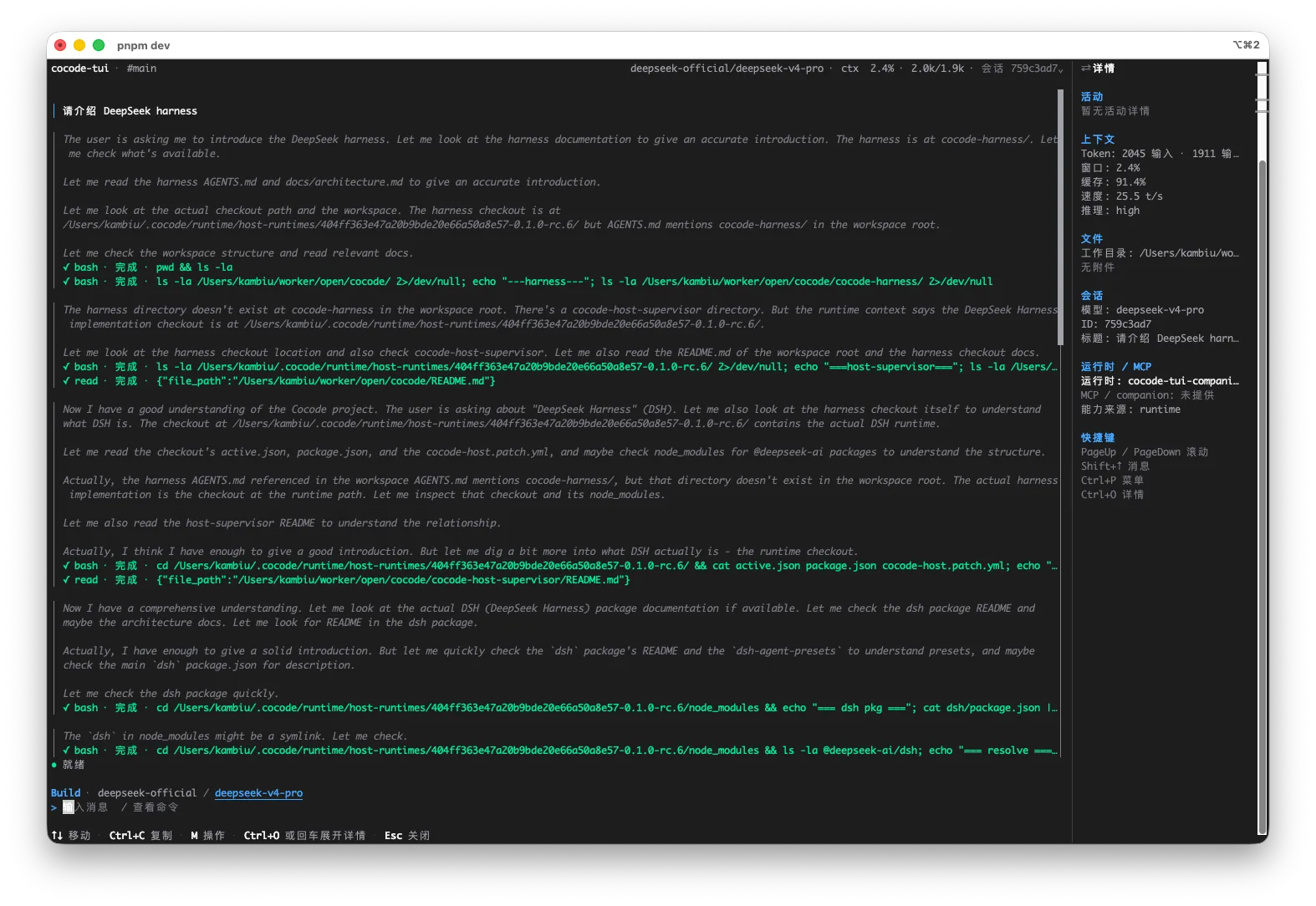
The GUI and TUI connect to the same Host. Review a diff on your desktop, run tests over SSH, and return to the GUI when you need visual context.
Clear boundaries make real development work easier to trust.
The terminal surface shows the active model, workspace, activity, and permission boundaries so remote work is not a black-box command stream.
Clear boundaries make real development work easier to trust.
This is an executable, reviewable path through a real repository—not an abstract feature list.
Use a shell with TTY, color, and interactive input; allocate a pseudo-terminal for SSH.
Use `cocode doctor` to inspect the Host, configuration, and model connection before fixing explicit errors.
Run `cocode`, choose a workspace and Session, then begin the task.
Return to desktop for visual diff review, or keep using the same Host and Session for remote execution.
Inspect logs, change services, and run tests on cloud or development machines.
Keep a complete agent workflow where no graphical environment is available.
Enter a development container or temporary environment to inspect dependencies, builds, and runtime failures.
Reproduce a failing command, change configuration or tests, and rerun the same gate.
Enter the target repository, inspect the environment, then launch TUI.
cd /path/to/repository
cocode doctor
cocodeTUI sits close to the real command environment. That makes remote work efficient and makes permission boundaries more important.
| Capability | Status | Conditions and evidence scope |
|---|---|---|
| SSH / headless | Supported | SSH needs a pseudo-terminal; a graphical environment is not required. |
| Interactive TTY | Required | A non-interactive pipe or incomplete terminal is not a substitute for TUI. |
| Session continuity | Same-scope support | Use the same Host, Profile, DSH Home, and Session data. |
| Disconnect recovery | State-dependent | Use stable session tooling for long work and inspect pending actions after reconnecting. |
Cocode TUI keeps the same task available over SSH and keyboard workflows, but commands, databases, credentials, and deployments still affect real systems. Speed belongs with exit-code, output, and permission checks.
Yes. TUI is a terminal client and should run in a shell with TTY support.
Yes. TUI is designed for keyboard-first and remote work and does not require a graphical environment.
TUI needs a real interactive terminal. Automation should use an interface designed for non-interactive execution instead of treating TUI as a pipeline command.
There is no unconditional guarantee. Recovery depends on Host, Session, and action state, so inspect running or pending work after reconnecting.