More than a chat window
DSH is built for ongoing tasks: understand a repository, call tools, record results, and keep moving.
DeepSeek Harness (DSH) connects models, tools, context, and execution state; Cocode turns that runtime into a workspace you can start from the desktop or terminal.
Capabilities and limits follow the current release
DeepSeek Harness (DSH) is an agent runtime that organizes models, tools, skills, sandboxes, and Sessions. Cocode builds an installable GUI, TUI, and workspace experience on its developer preview, so DSH and Cocode are different product layers.
DSH is built for ongoing tasks: understand a repository, call tools, record results, and keep moving.
Models, tools, skills, sessions, sandboxes, and UI are composed through profiles instead of one fixed product shape.
Cocode makes versions, permissions, model access, and preview status explicit so an experimental runtime remains inspectable.
A model can reason, but real coding work also needs a workspace, files, terminals, tools, permissions, sessions, and result history. DSH connects those responsibilities.

Cocode provides defaults, a desktop GUI, a terminal TUI, and model-service options so developers can move from runtime components to a first task with less setup.
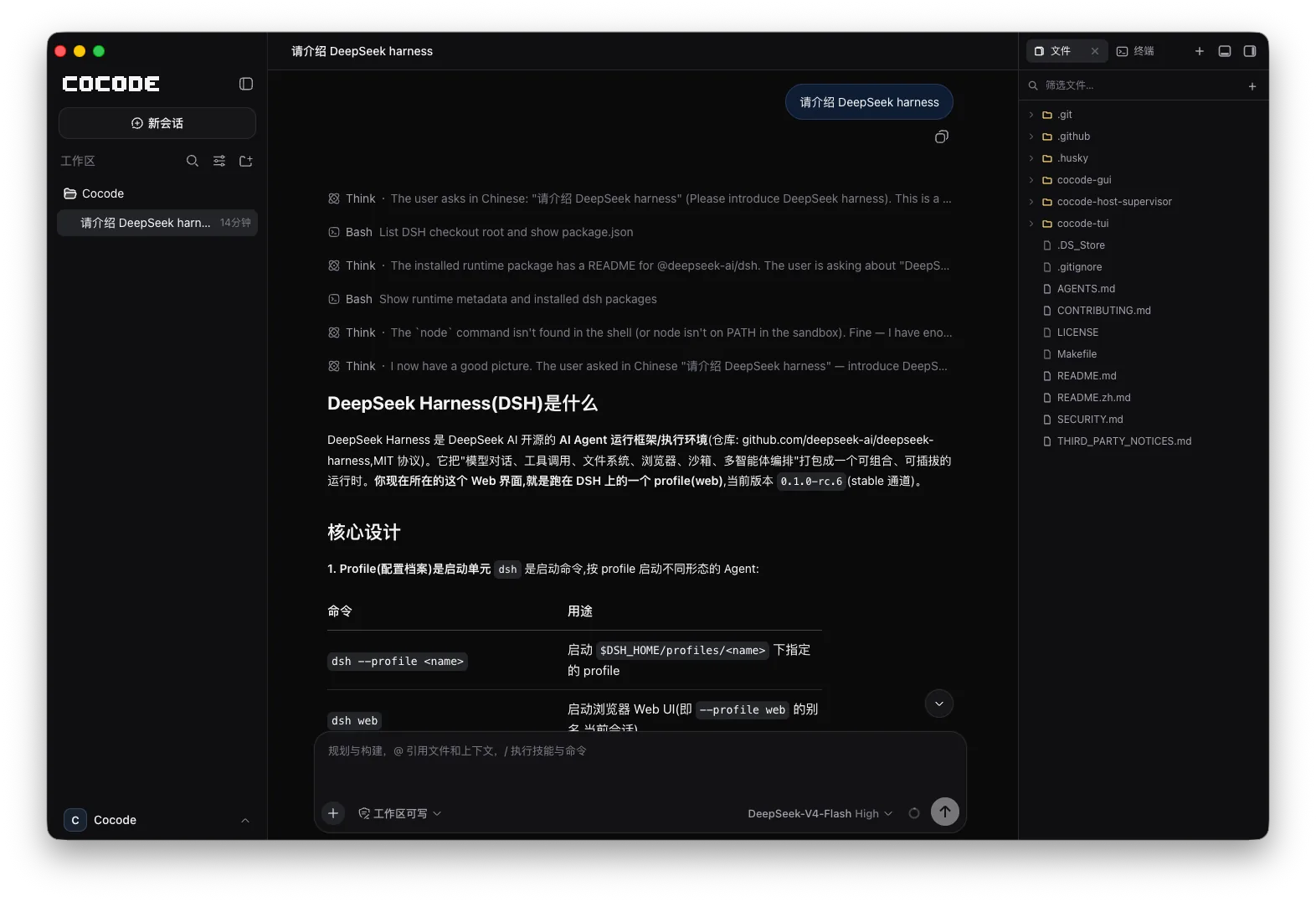
Review context and diffs on the desktop, then continue tests from a terminal or SSH session. Changing entry points does not split the task into separate chats.
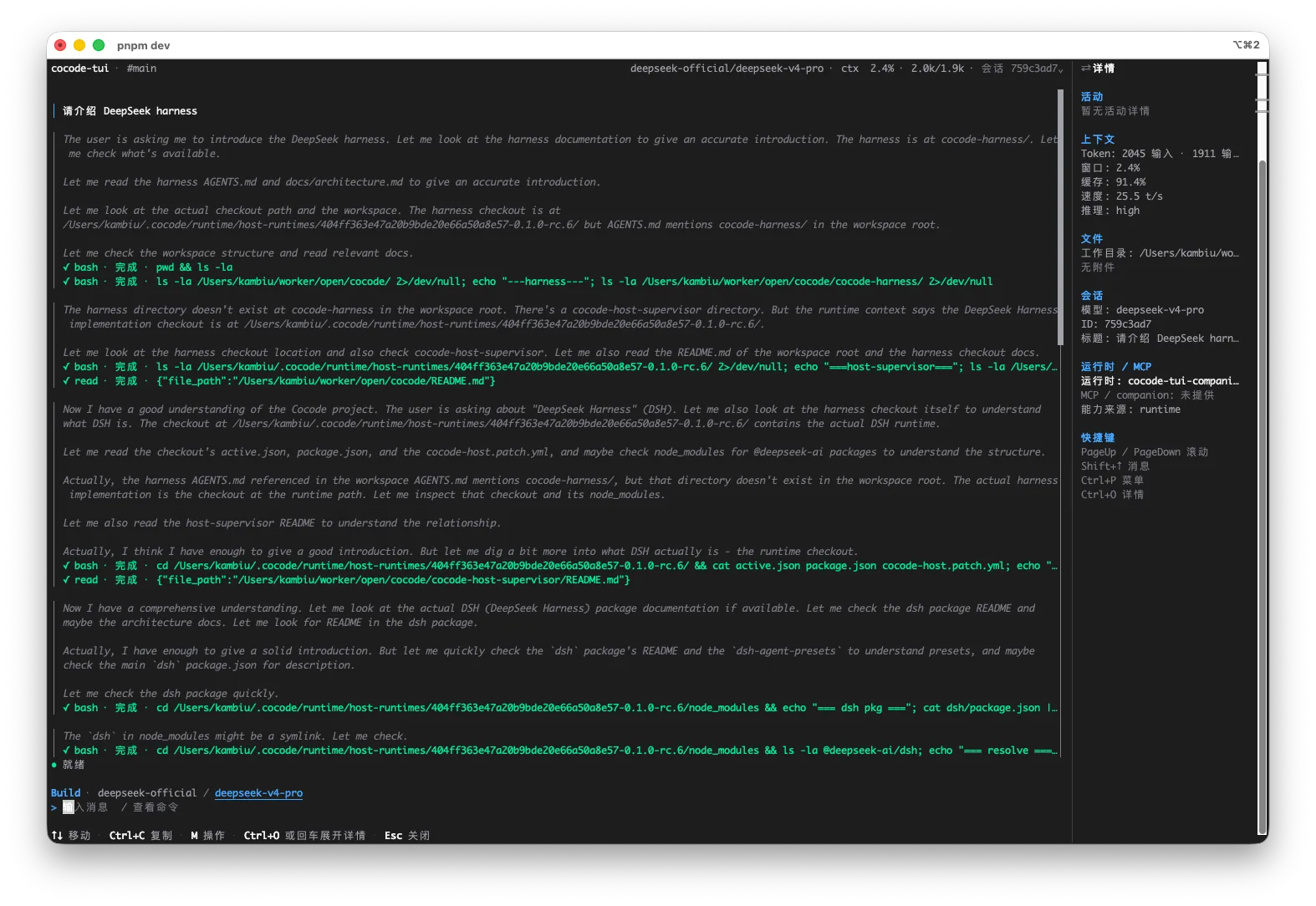
This is an executable, reviewable path through a real repository—not an abstract feature list.
It interprets input and produces plans, text, or tool-call intent, but does not manage the development environment by itself.
Files, search, terminal, and browser tools connect reasoning to observable environment changes.
Skills package task-specific instructions, resources, and verification so the workflow does not start from zero.
A Session records task state and results so GUI, TUI, or a restored client can continue.
Runtime boundaries decide which files, commands, and network actions can run or require confirmation.
Keep understanding, editing, testing, and delivery in one runtime context.
Encode repository checks, tests, and release conventions through tools, Skills, and Profiles.
Inspect one Session on desktop and continue through TUI or SSH.
Confirm the Host and Profile before running a task through DSH.
cocode doctor
cocodeSeparating runtime and client layers prevents model, UI, and deployment capabilities from being confused.
| Capability | Status | Conditions and evidence scope |
|---|---|---|
| Model and tool orchestration | DSH role | Profiles, tools, skills, and runtime configuration organize the workflow. |
| GUI / TUI | Provided by Cocode | Cocode packages the DSH workflow into desktop and terminal entry points. |
| Version stability | Preview boundary | Upstream changes can affect configuration, plugins, and compatibility. |
| Model service | Independent choice | Using DSH does not require Cocode Nut or a single endpoint. |
For a developer preview, a version number and successful startup do not prove full compatibility. Cocode recommends a short path that reads, makes a small edit, calls tools, and runs a check.
DeepSeek Harness is an agent runtime layer for composing models, tools, skills, sessions, sandboxes, and interfaces. It is not a single model or a fixed chat UI.
No. Cocode is an independent distribution built on the DeepSeek Harness developer preview.
It fits continuous coding tasks that require repository context, file edits, commands, tests, diffs, and a durable result trail.
No. DSH is an agent runtime; a model is one layer it can connect and orchestrate.
Preview configuration, plugins, or behavior can change, so upgrades should revalidate the Host, model, tool calling, and Sessions.